
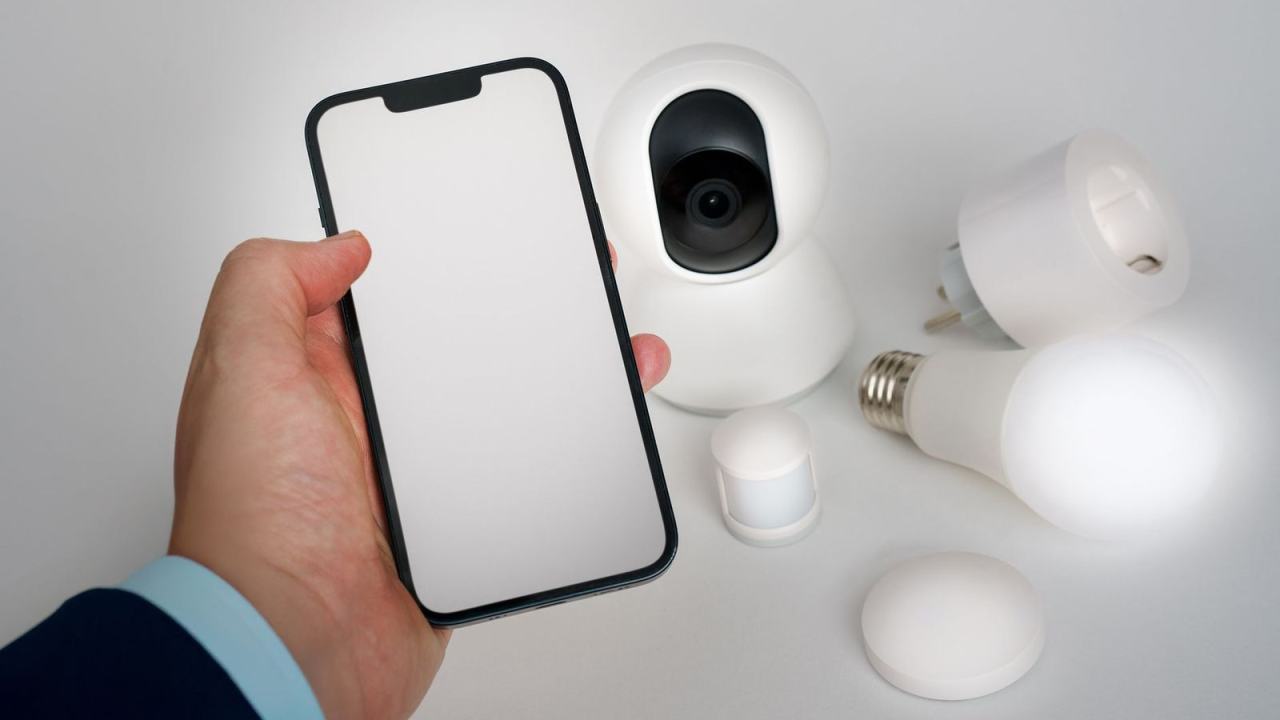
If you’re buying or building smart devices, IoT accessibility decides who in your home can actually use them. The short answer: give each device more than one way to see, hear and control it, and keep settings consistent.
Accessibility is one strand of iot user experience design, and this guide looks at it in depth.
| Item | Value |
|---|---|
| Matter smart home standard launched | October 2022 |
| Smart light bulb (UK price) | Around £15 each |
| Smart doorbell from Ring or Nest (UK price) | Around £180-£330 |
| Smart thermostat or wireless security camera (UK price) | Often £100-£200 |
| Smart speaker ownership in the UK | Some 50% (2021) |
These figures come from Guide Dogs and AbilityNet. Prices and product ranges can change, so check the sources before you rely on them.
What IoT accessibility means in practice
Accessible connected devices can be set up, operated and understood by people with visual, hearing, motor, cognitive and other disabilities. A BOIA post from December 2018 argues that, just as websites and mobile apps should be accessible to everyone, IoT devices should have an accessible user interface too.
The upside is large. Smart speakers, lights and thermostats can give people with physical or sight-related disabilities more control over their own homes, provided the controls work for them.
The risk is just as real. A W3C-authored paper, as summarised by A11y Paradise, warns that IoT can become more of a disabler than an enabler, for example when a physical knob is replaced by an inaccessible app.
Scale raises the stakes. A 2021 article by Be My Eyes cites a GSM Association estimate of 25.1 billion devices in operation worldwide by 2025, and says accessibility has to be part of that growth (Inclusion Hub).
Where smart devices still fall short
Voice control is often sold as the universal fix, but it is not one. The Be My Eyes article on Inclusion Hub notes that voice recognition is often a challenge for people with speech disorders or heavily accented speech.
Companion apps are an even bigger barrier. The same article shows a screen reader reading out a single option, “Add Printer”, from a page that holds at least 16 possibilities in the HP Smart app. The authors stress this is an illustration of untested accessibility, not a verdict on one vendor.
The summary of the W3C paper on A11y Paradise lists six key challenges. Four of them matter most to product teams:
- Interoperability: closed ecosystems stop assistive technology from reaching IoT systems.
- Data and API support: readings and accessibility information must be available as text, not locked in images.
- Configuration: settings such as large text should follow the user across devices instead of being set one device at a time.
- Privacy: health and disability information needs more granular controls.

What does accessible IoT design look like?
Good practice starts by giving every function more than one channel. The practical checklist below draws on BOIA, A11y Paradise and Inclusion Hub.
- Alternative output: a device that shows output visually should also offer text-to-speech or vibrations.
- Bigger targets and other inputs: larger screens, text and buttons, plus voice input, help older people and people with reduced motor control.
- Portable settings: accessibility preferences should propagate across every device in a system automatically.
- Architecture, not just screens: accessibility has to be considered at the architecture and protocol level, not only at the interface.
- Real users in the loop: inviting people with visual, hearing, cognitive and other disabilities into design and testing avoids backfilling workarounds after launch.
Different users need different things. Adjustable font style, contrast or size helps people with partial vision, while someone with total vision loss will likely need screen reader support instead.
Alerts deserve the same multi-channel thinking. The Be My Eyes article credits the Ring doorbell’s customisable smartphone notifications as a key benefit for deaf and hearing impaired users, and the wider topic of iot notification design covers how to deliver messages without excluding anyone. It also reports that certain Bosch washing machines send cycle status updates to an app or a connected assistant, which saves a trip to the laundry room for people who find stairs hard (Inclusion Hub); the article notes it does not endorse any product.
Interoperability and the Matter standard
Many people with disabilities lose time to app sprawl. BOIA’s December 2018 post observed that most IoT devices ran on their own “wavelength”, so controlling five devices could mean installing five different apps (BOIA).
Users say they want the opposite. Be My Eyes reports that most users prefer to control a variety of smart home devices from a single app or assistant, which matters most for people who struggle to recall or see which app runs which device (Inclusion Hub).
BOIA also describes the Web of Things, a proposed framework that could make it easier for screen readers and other assistive technologies to work with IoT systems (BOIA).
The Matter standard attacks the same problem from the product side. Guide Dogs explains that Matter is a shared language letting devices from different brands talk to each other, and that it works locally, without needing the internet to run your gadgets (Guide Dogs).
A few details from that post are worth knowing:
- Matter launched in October 2022, and its device range was described as quite limited at the time of the charity’s 9 July 2024 post.
- Matter is not a voice assistant or a platform and has no app of its own; you still choose the assistant or hub.
- Each device carries a QR code that you scan, after which the app guides you through setup.
Guide Dogs adds a note of caution: as of its 9 July 2024 post, it suggested it might be worth waiting to invest in Matter-compatible products until more is known about the benefits. For accessibility, the practical gain is freedom to switch to a different control app if one proves hard to use (Guide Dogs).
Voice, screen readers and web interfaces
Research on blind users shows why interface type matters. Buzzi, Leporini and Meattini studied smart home web interfaces built for screen reader users who are not yet skilled with touch-screen devices, and drew up design guidelines from an evaluation with a small group of skilled screen reader users (Journal of Web Engineering).
Their point is that smart homes can strengthen personal autonomy only if the system offers suitable device integration and accessible interfaces. Keyboard, assistive technology, voice and gestures all have a place.
Voice remains a strong entry point when it is paired with good naming. AbilityNet’s factsheet, last updated in January 2025, explains that a smart speaker can act as the hub of a connected home, and that devices such as security cameras, heating and smart door locks need a smart hub (AbilityNet).
Costs, support and what happens after the sale
Cost is an accessibility issue too. AbilityNet notes that a smart bulb at around £15 is pricier than a standard one, and that doorbells from established brands can run to £180-£330, so a full setup is not cheap (AbilityNet).
Support matters after purchase as well. Be My Eyes suggests that a product which recognises repeated failures with a task and offers to connect the person with a trained volunteer can help them finish more efficiently (Inclusion Hub).
Help routes like this belong in the wider iot service design of a product, not just in its interface. A device that is accessible on day one but unsupported on day two will still let people down.
Frequently asked questions
Is voice control enough on its own?
Show answer
No. Voice suits many people, but speech differences can make it unreliable, so back it up with an app or controls that a screen reader can read.
Does Matter solve smart home accessibility for blind users?
Show answer
It can help by letting you mix brands and swap control apps, yet Guide Dogs’ 9 July 2024 post stopped short of promising results because the standard was still early.
What should you check before buying a hub or speaker?
Show answer
Look at whether the controls and companion app work with your assistive technology, and whether the hub can reach the locks, cameras and heating you want. AbilityNet’s factsheet is a good starting point.
Who should test an IoT product for accessibility?
Show answer
People with disabilities, from the first design stage onward. Inclusion Hub argues that early involvement beats fixing problems after launch.